
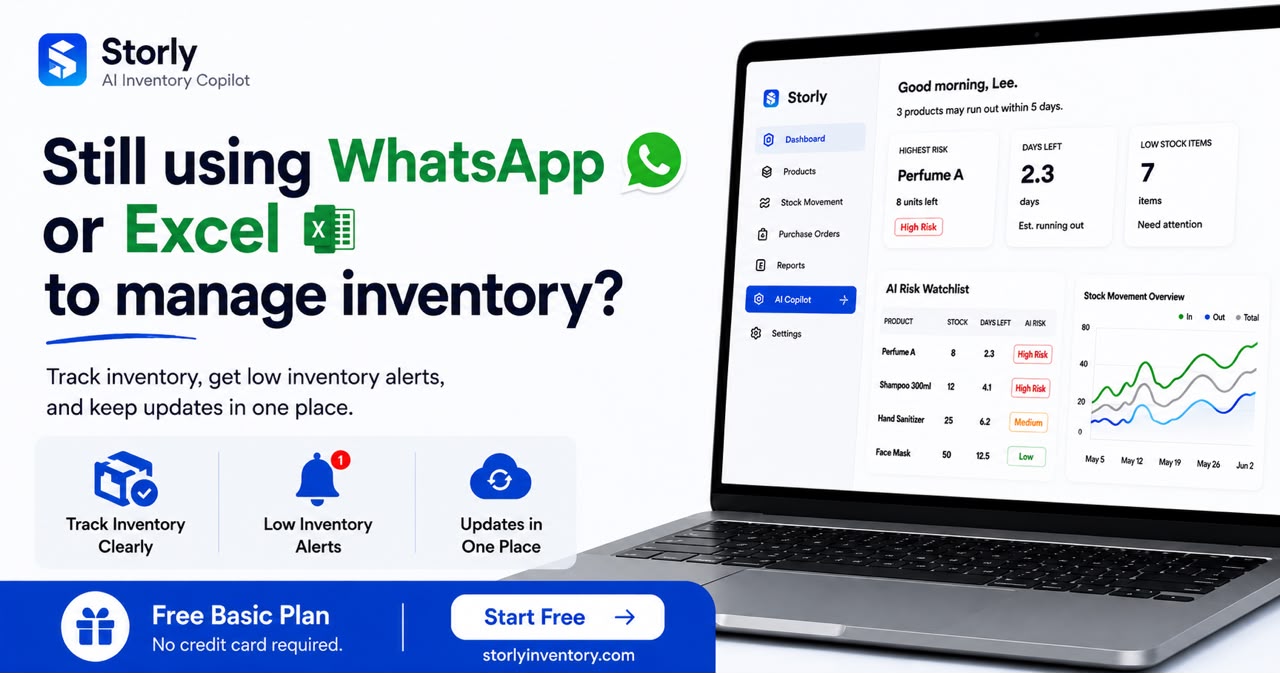
Many Malaysian small businesses begin with notebook inventory tracking, printed stock sheets, Excel files or WhatsApp messages. These methods may work when there are only a few products and one person controls every update.
The process becomes harder to manage when the business handles more products, employees, suppliers and daily stock movements. Quantities stop matching, low-stock products get missed and staff spend more time checking records.
Moving to digital inventory software can help, but choosing the wrong system may create new problems. Some platforms are too complicated, too expensive or designed for operations much larger than yours.
This guide explains how to choose inventory software for a small business in Malaysia based on your real workflow, budget and growth plans.
1. Identify the Inventory Problem You Need to Solve
Do not begin by comparing feature lists. Begin by identifying what is currently going wrong.
Common inventory problems experienced by small businesses include:
- Physical stock counts do not match recorded quantities.
- Staff forget to record Stock In or Stock Out.
- Low-stock products are discovered too late.
- Several spreadsheets contain different quantities.
- Nobody knows who changed an inventory record.
- Restocking decisions depend on memory or guesswork.
- Investigating missing stock takes too much time.
Write down the three problems that cost your business the most time or money. Your chosen inventory control software should solve those problems first.
Avoid paying for features you do not need
A small retail shop may not need the same system as a manufacturer or a regional warehouse. More features do not automatically mean a better fit.
2. Choose the Essential Inventory Features
A practical digital inventory solution should make daily stock updates clearer and easier to review.
For many small businesses, the essential features are:
Product and SKU records
The system should keep product names, SKUs, categories, units and current quantities in one organised place.
Stock In and Stock Out
Staff should be able to record received, sold, used, returned, damaged or adjusted inventory through a clear workflow.
Low-stock monitoring
A low-stock feature helps identify products requiring attention before they reach zero.
Stock movement history
A movement history makes it easier to investigate why a quantity changed and when the change happened.
User access and accountability
When several employees manage inventory, the system should provide suitable user access and make updates easier to trace.
Simple inventory reports
Reports should help you understand current quantities, low-stock products and recent inventory movement without requiring complicated spreadsheet formulas.
3. Separate Essential Features From Advanced Features
Some inventory management software includes barcode scanning, RFID, multiple warehouse locations, accounting integrations, purchase-order automation, batch tracking and advanced demand forecasting.
These can be valuable, but they are not essential for every business.
| Feature | Usually essential | Needed for |
|---|---|---|
| Stock In and Stock Out | Yes | Daily inventory recording |
| Low-stock alerts | Yes | Earlier restocking decisions |
| Movement history | Yes | Investigating stock discrepancies |
| Barcode scanning | Depends | Faster high-volume operations |
| Multi-location inventory | Depends | Several stores or warehouses |
| Batch or serial tracking | Depends | Traceability requirements |
| ERP integrations | Usually advanced | Larger connected operations |
| RFID and automation | Usually advanced | High-volume warehouses |
Choose software that handles your current requirements while giving you a reasonable upgrade path. Avoid choosing an enterprise platform only because you might need every advanced feature someday.
4. Evaluate Ease of Use and Staff Training
Software only improves inventory accuracy when staff use it consistently.
A powerful system may still fail if daily tasks require too many screens, complicated terminology or lengthy training.
During a trial, ask several staff members to complete common tasks:
- Add a new product.
- Record received stock.
- Deduct sold or used stock.
- Correct an inaccurate quantity.
- Find a low-stock product.
- Review a previous stock movement.
Watch how much explanation they need. The best digital inventory software for your business is usually the system staff can understand and use correctly during a busy working day.
Staff resistance is an implementation risk
Employees may return to notebooks or spreadsheets when the new system feels slower than their existing process. Ease of use should be treated as an essential feature.
5. Plan the Move From Notebooks or Spreadsheets
One reason businesses delay switching is fear of data migration. Existing product records may contain duplicate names, outdated quantities and inconsistent units.
A safer migration process is:
- Choose a small group of important products.
- Standardise product names, SKUs, categories and units.
- Remove duplicate or inactive product records.
- Perform a physical count to confirm opening stock.
- Enter or import the cleaned product information.
- Test Stock In, Stock Out and adjustment procedures.
- Move the remaining products in manageable groups.
A gradual transition reduces pressure on employees and makes errors easier to identify.
Businesses moving away from Excel can also review this guide to choosing a spreadsheet inventory alternative .
6. Compare Pricing and Hidden Costs
The monthly subscription is only one part of the total software cost.
Before choosing inventory software in Malaysia, check:
- Monthly or annual subscription price.
- Limits on products, users or transactions.
- Fees for additional staff accounts.
- Data migration or setup charges.
- Training and onboarding fees.
- Charges for integrations or advanced reports.
- Cancellation and data-export conditions.
Compare these costs with the time and money currently lost through stock discrepancies, manual checking, duplicate purchasing and missed sales.
The cheapest system is not always the best value. However, a small business should not pay for a large warehouse platform when a simpler online inventory system solves the actual problem.
7. Review Security, Backups and Customer Support
Inventory data affects purchasing, stock valuation and daily operations. Ask vendors how the information is protected and supported.
Useful questions include:
- Is the inventory data backed up?
- Can users have different access permissions?
- Can the business export its data?
- What happens during a system outage?
- How quickly does customer support respond?
- Is onboarding or setup assistance available?
- How are account and password security handled?
Support quality matters most during migration and when employees begin using the system with real inventory.
8. Test the Software With Real Products
A demonstration may look impressive, but the real test is whether the software fits your daily workflow.
During a free trial, add approximately ten real products and use the system for actual inventory movements.
Test scenarios such as:
- Receiving stock from a supplier.
- Recording several customer sales.
- Adjusting damaged or missing stock.
- Checking which products are running low.
- Reviewing the movement history of one product.
- Correcting an incorrect entry.
Compare the result with your current notebook or spreadsheet process. The digital inventory solution should provide clearer information without adding unnecessary work.
9. Final Inventory Software Selection Checklist
Before making a final decision, confirm that the system:
- Solves your most important inventory problem.
- Is simple enough for staff to use consistently.
- Supports your current product and transaction volume.
- Provides clear Stock In and Stock Out procedures.
- Helps identify low-stock products.
- Keeps a useful stock movement history.
- Fits your budget without unexpected charges.
- Supports a manageable migration process.
- Provides suitable security, backups and support.
- Can accommodate realistic near-term growth.
The right inventory management software should make daily stock control easier to understand. It should not force a small business to adopt unnecessary warehouse complexity.
Which Digital Inventory Solution Is Right for You?
Notebook inventory tracking and spreadsheets can be a useful starting point, but they become difficult to maintain as inventory activity increases.
A good electronic inventory system creates one clearer source of truth for products, quantities and stock movements.
For Malaysian SMEs, the best choice is usually the platform that solves current stock problems, is easy for employees to adopt and allows the business to move gradually from its existing process.
Businesses comparing systems can also review inventory software for small businesses in Malaysia and learn how to track low stock without spreadsheets .
Start with your real workflow
Add a few products, record genuine stock movements and involve the employees who will use the system every day. That test provides more useful information than a long feature comparison.