
Clean the product list
Remove duplicate products and confirm names, SKUs, prices, and current quantities.
Spreadsheet inventory alternative
Storly helps small businesses import existing product data, track current quantities, identify low-stock items, review stock movement, prepare reports, and manage staff access without passing spreadsheet files around.
Why inventory spreadsheets become difficult to manage
Many small businesses begin with Excel, Google Sheets, notebooks, or manual product counts. These tools are familiar and flexible when the product list is small and only one person updates stock.
Problems usually appear as the business adds more products, staff members, sales, returns, supplier deliveries, and stock adjustments. Multiple versions of the same file may exist, updates may be delayed, and low-stock products may be missed.
A dedicated inventory workspace does not automatically make every quantity perfect. It gives the team a more structured way to record stock changes, review movement history, and understand which number is current.
Storly brings product records, quantities, reorder levels, stock movements, reports, and staff access together so the team no longer needs to maintain separate inventory files.
How to move away from inventory spreadsheets
You can begin with a small product group, confirm that the workflow fits your business, and import the rest when the team is ready.
Remove duplicate products and confirm names, SKUs, prices, and current quantities.
Export the relevant Excel or Google Sheets inventory data using CSV format.
Bring the product list into one workspace instead of entering each product manually.
Define when important products should be treated as low stock.
Use one process for stock in, stock out, adjustments, returns, damage, and restocking.
What Storly gives you instead
Storly keeps the information needed for daily stock work in one clear workspace.
Manage names, SKUs, categories, prices, quantities, units, and reorder levels from one product list.
Find products that have reached their reorder levels without manually scanning spreadsheet rows.
Review stock additions, reductions, adjustments, and restocking activity in one history.
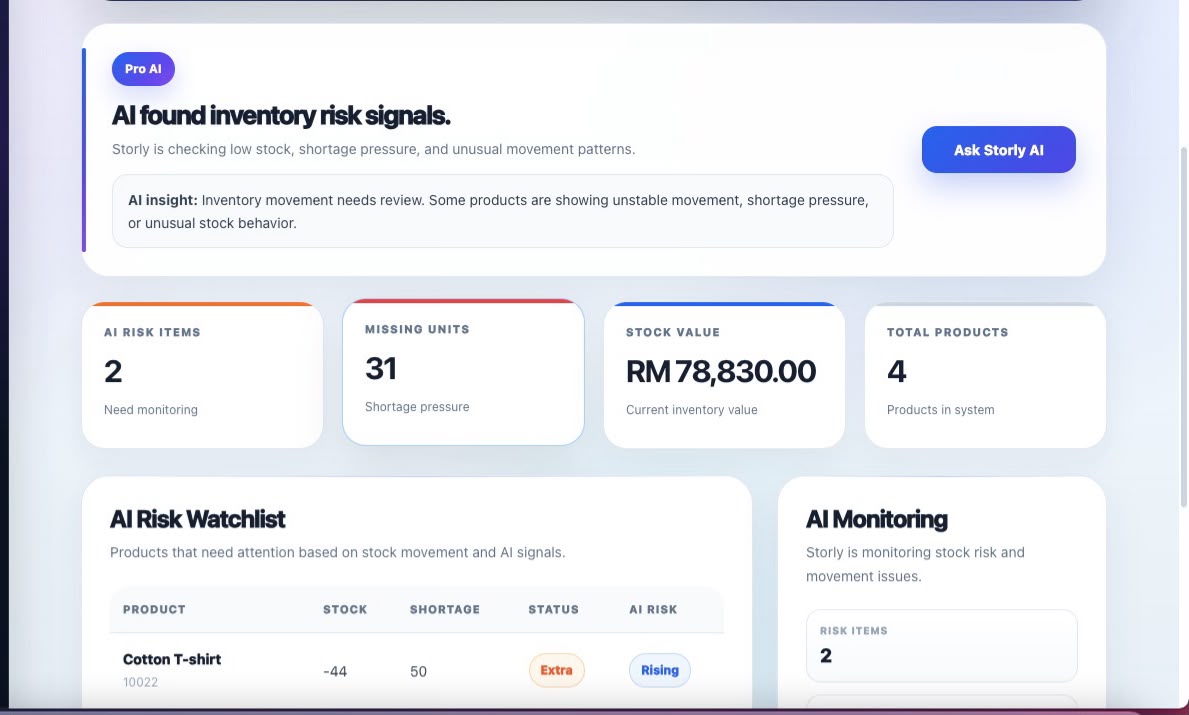
Review low-stock items, product activity, stock movement, and inventory health without rebuilding reports manually.
Give team members appropriate access while protecting administrative and billing controls.
Pro adds AI inventory workflows. Business adds supplier management, purchase orders, and advanced controls.
Signs you need a spreadsheet inventory alternative
These issues often appear when the business has more products, more transactions, or more people updating stock.
Staff only notice the problem after a product is already unavailable.
Team members are unsure which spreadsheet contains the current quantities.
Sales, incoming stock, returns, damage, and adjustments are recorded later or forgotten.
The team spends time rebuilding summaries instead of reviewing inventory decisions.
There is no shared workflow for reorder levels, movement history, and replenishment review.
Everyone can edit important information, or only one person has access to the latest file.
Spreadsheet inventory vs Storly
The main difference is not simply where the data is stored. It is how stock changes, low-stock review, reports, and team access are managed.
| Inventory task | Spreadsheet workflow | Storly workflow |
|---|---|---|
| Product list | Product information may be duplicated across files | Products are managed from one structured workspace |
| Stock changes | Users manually edit quantity cells | Additions, reductions, adjustments, and restocks are recorded |
| Low-stock review | Requires filters, formulas, or manual scanning | Products near their reorder levels are easier to identify |
| Movement history | Often missing or maintained in another sheet | Stock changes are kept in one movement history |
| Reports | Formulas and summaries must be maintained manually | Inventory information is available through structured reports |
| Staff access | File permissions may be too broad or too restrictive | Workspace roles separate operational and administrative access |
| Supplier purchasing | Supplier details and orders may be kept in separate files | Business-plan supplier and purchase-order tools organize purchasing |
Built for small product-based businesses
Storly is designed for businesses that manage physical products without needing a complicated enterprise ERP.
Replace daily product spreadsheets with one workflow for quantities, low stock, and stock movement.
Keep product quantities clearer while managing regular orders and inventory changes.
Organize products, categories, quantities, and low-stock items without maintaining multiple sheets.
Track parts, stock changes, adjustments, and restocking needs from one shared workspace.
Pricing
Begin with product, quantity, movement, low-stock, and reporting tools. Upgrade when the team needs collaboration, AI, suppliers, or purchase orders.
Basic
For small businesses moving from manual inventory files into one structured workspace.
Core inventory tracking
Pro
For growing teams that need collaboration and AI-assisted inventory review.
Team and AI workflows
Business
For teams managing suppliers, purchase orders, permissions, and larger inventory workflows.
Purchasing and control
AI inventory tools are available on Pro. Supplier management and purchase orders are available on Business.
FAQ
Common questions from small businesses considering a structured inventory system.
It is software that provides one structured workspace for products, quantities, low-stock items, movement records, reports, and team access.
Storly can replace many spreadsheet-based inventory workflows by keeping product and stock information in one shared workspace.
Yes. Export the relevant product data as CSV and import it into Storly instead of entering every product manually.
No system can automatically guarantee accurate stock. Storly makes stock movement easier to record and trace, but staff must still record sales, deliveries, returns, damage, and adjustments consistently.
No. Start with a few important products, confirm the workflow, and move more inventory when the team is ready.
Yes. Storly records stock additions, reductions, adjustments, and restocking activity.
Yes. Storly includes a free Basic plan with no credit card required.
Yes. Supplier management and purchase orders are available on the Business plan.
Storly is designed for retail shops, online sellers, boutiques, repair stores, spare parts businesses, and other small teams managing physical products.
Stop maintaining another spreadsheet version
Export your product list as CSV, import it into Storly, and begin tracking quantities, reorder levels, low-stock items, stock movement, and reports with the free Basic plan.